 Browser extension
Funding data on any company's website
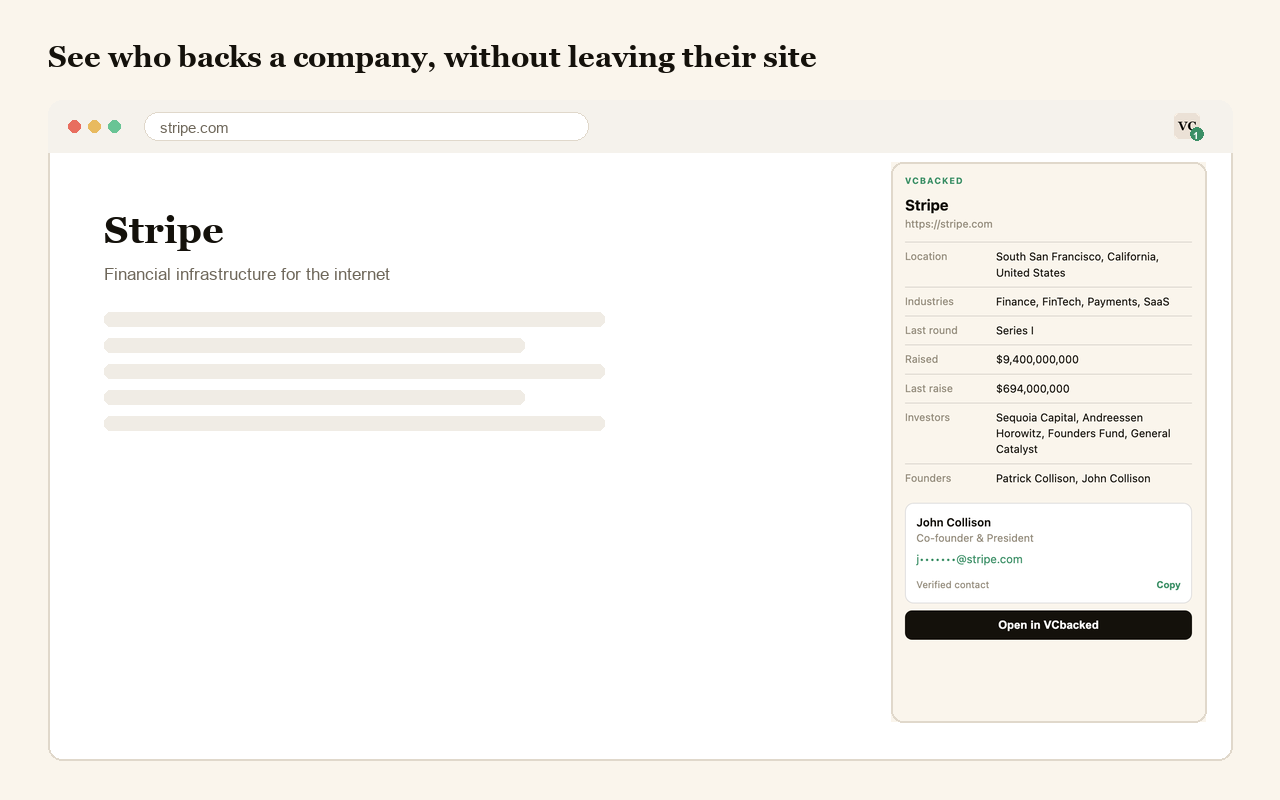
You land on a company's site and want to know who backs them, what they raised, and who to email. That is three tabs and a database search. The VCbacked extension makes it one click, on the page you are already reading.
Included with every paid plan. Nothing extra to buy.
How it works
Three steps, and only the first one is work.
Install it and sign in
One click from the Chrome Web Store, then sign in with the VCbacked account you already pay for.
Open a company's website
The toolbar icon badges when we hold a record for that domain, so you know before you click.
Read the record
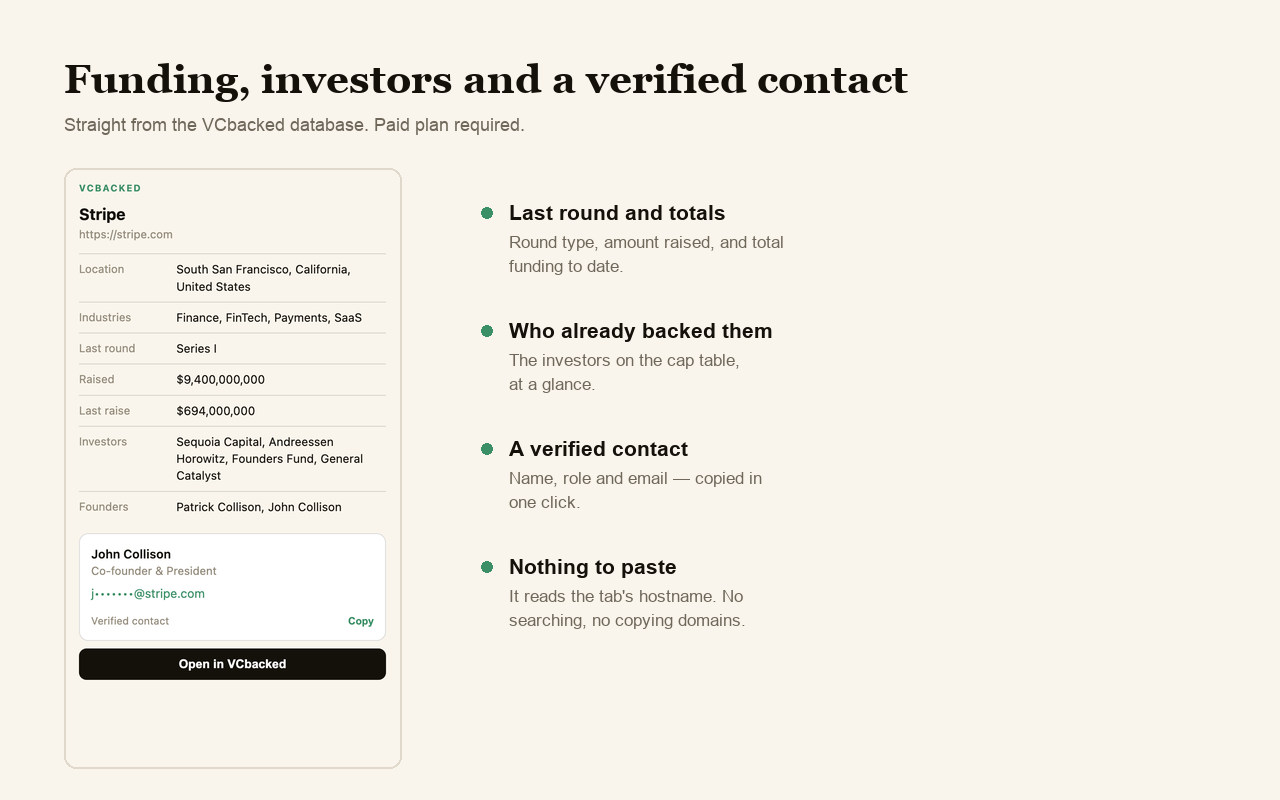
Last round, total raised, investors, location and a verified contact with one-click copy.
What a record actually tells you
- Funding
- Last round type, amount raised, and total raised to date — the numbers that decide whether this company is worth your time.
- Investors
- The firms already backing them, so you know who is in the cap table before the conversation starts.
- Company details
- Location, industries and founders, pulled from the same database as the web app.
- A verified contact
- Name, role and email, with one-click copy straight into your outreach.
What it does not do
A browser extension sees a lot by default. This one is built to see as little as possible: it reads the hostname of your active tab and nothing else. Not the page, not the path, not your history. There are no content scripts, so nothing is injected into the sites you visit, and it talks to no server other than ours.
Your session is stored on your own device and every lookup is authorised server-side against your subscription. Full detail in the extension privacy policy.
Frequently asked questions
What does the VCbacked extension do?
When you're on a company's website, it shows what VCbacked knows about them: their last round, total raised, the investors backing them, and a verified contact — in a panel, without leaving the page.
Do I need a paid plan?
Yes. The extension is included at no extra cost with any paid VCbacked plan. Free accounts can sign in but are asked to upgrade before any company data is shown.
How many companies does it cover?
The full VCbacked database of funded companies, resolved by website domain — so if a company has raised and has a site, the extension will recognise it.
Does it read the pages I visit?
No. It reads only the hostname of the active tab, for example "stripe.com". It never reads page content, full URLs, paths or your browsing history, and it injects no scripts into the sites you visit.
Is this the same as the LP database?
No. This extension covers startups and funded companies. LPbacked, our limited-partner database, is a separate product with its own extension.
Which browsers does it work in?
Chrome, and any Chromium-based browser that installs from the Chrome Web Store — including Edge, Brave and Arc.
Stop pasting domains into a database
The extension is included with every paid VCbacked plan.